




 5001 / 5157

NEXON AMT
DTC Troubleshooting Guide
Version: 2.0
Date: 24-01-2018
Author: Suraj/Anupama
Page: 280 of 434
Copyright ©
TATA MOTORS Ltd.
This document must not be used in any way, such as copying and redistributing to third parties, without the consent of author.
4
Replace parts in following order and re-
verify:
If the pump failed to turn ON:
1> Replace the Pump relay
2> Replace the TCU
3> Replace the Kit
If the pump turns ON but no Pressure build
up:
1> Check Kit oil, refill if necessary
2> Check for oil leakage / damage to
hydraulic pipes.
3> Replace the TCU
4> Replace the Kit
Recheck the
above steps
DTC’s confirmation:-
After rectification, clear all DTC’s and ensure the following points by referring TCU parameters using TML diagnostic tool
before handing over to customer.
Read Engineering parameter “High Leakage Error counter” through the diagnostic tool and keep as record
Drive the vehicle through all gears in both Automatic and Manual modes
Ensure no DTC is active and Transmission Fault Lamp is OFF.
Read Engineering parameter “High Leakage Error counter” through the diagnostic tool and ensure it stays at last read
value before handing over vehicle to the customer.
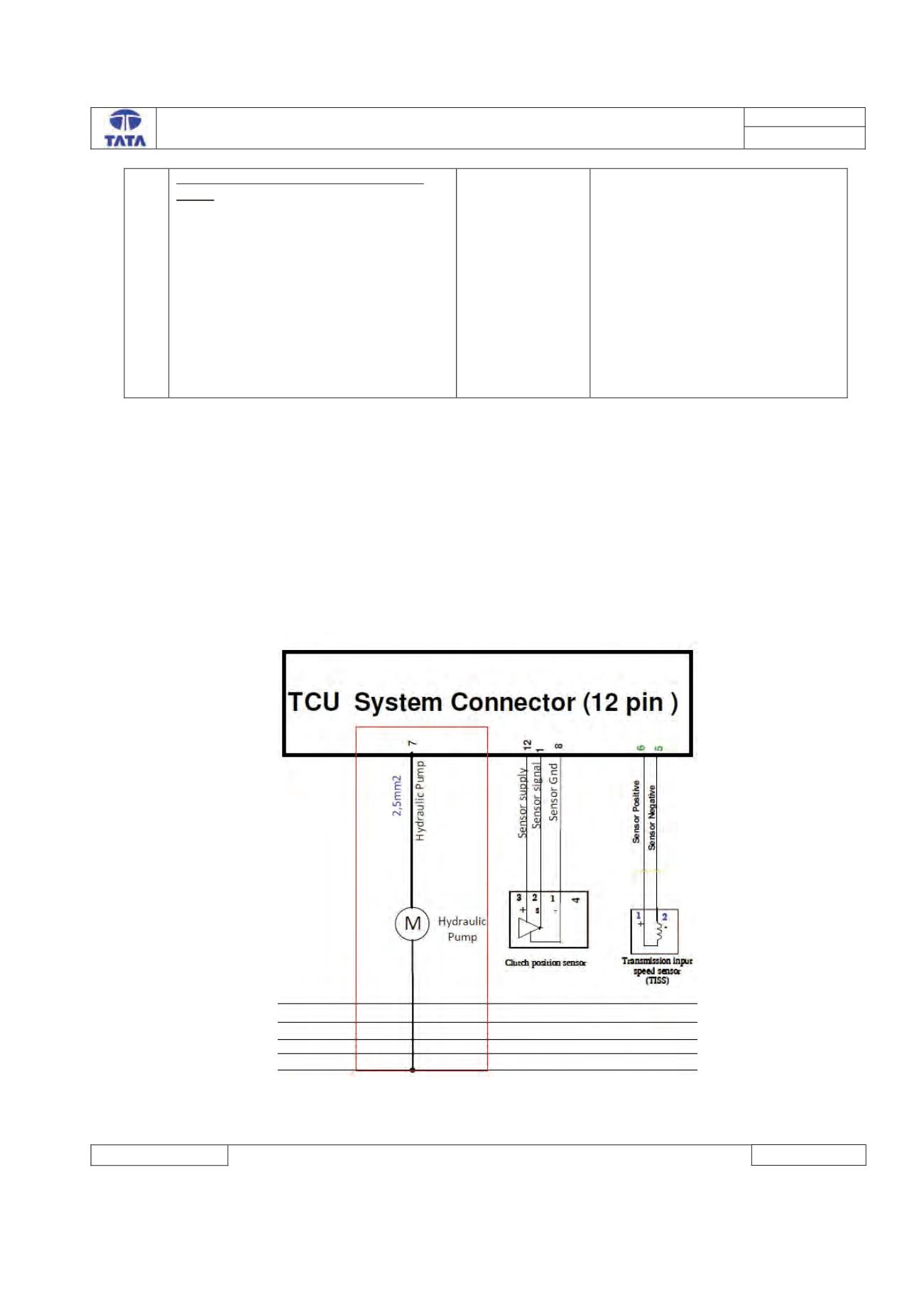
Circuit Schematic Diagram:
Component Location & Image:-