



 1928 / 5157

yϭϬϰ KƐƉƌĞLJ /ŶƐƚƌƵŵĞŶƚ ůƵƐƚĞƌ
d dƌŽƵďůĞƐŚŽŽƚŝŶŐ ĂƚĂ
sĞƌƐŝŽŶ͗ ϭ͘ϯ
ĂƚĞ͗ ϮϬͲDĂƌĐŚͲϭϳ
Author: Balaji / Amar /
Nitin / Umapathi /
Deepak
Page: 47 of 138
Copyright ©
TATA MOTORS Ltd.
This document must not be used in any way, such as copying and redistributing to third parties, without the consent of author.
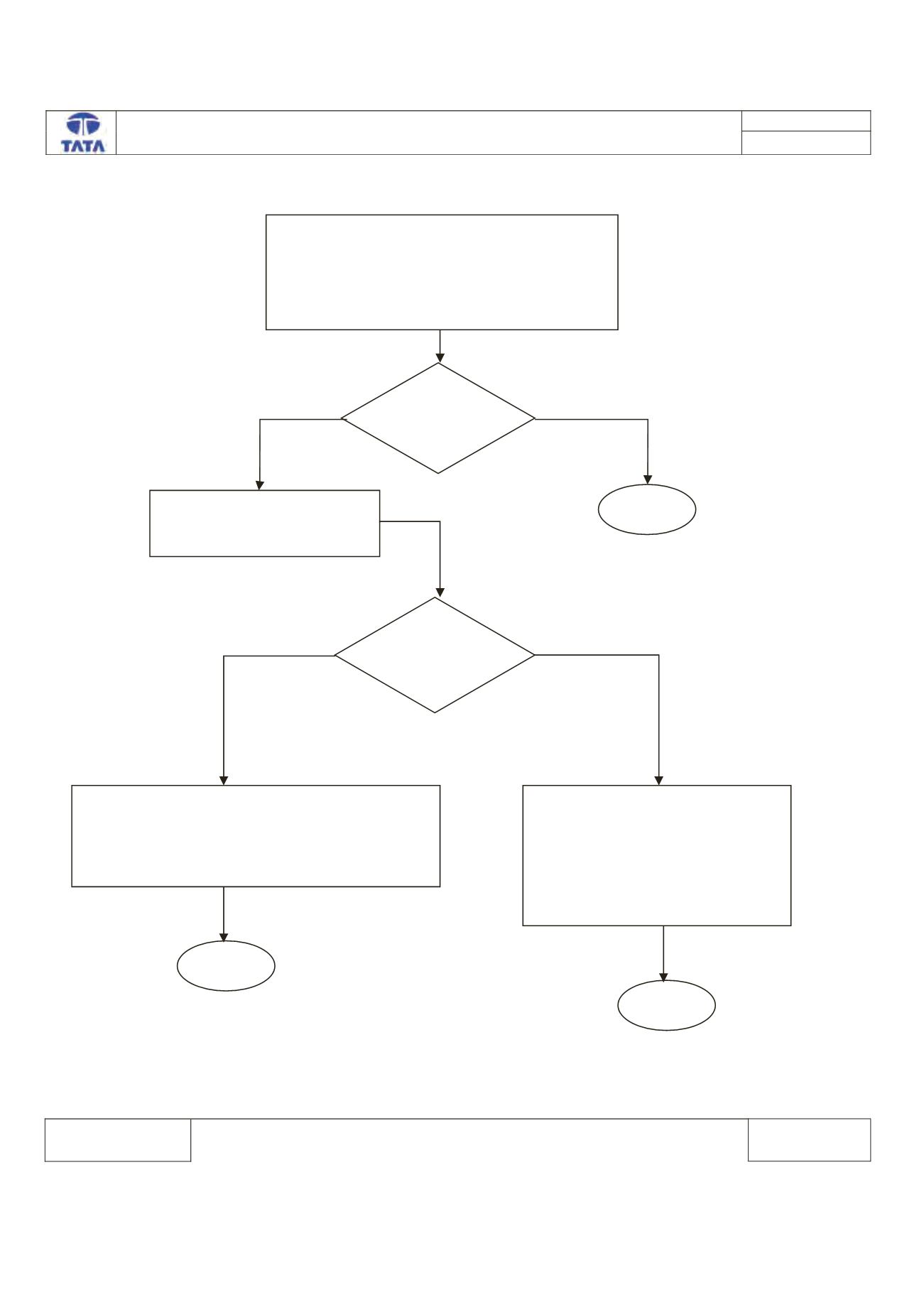
Trouble Shooting:-
Turn ON Ignition.
Connect the TML Diagnostic Tool.
Check the status of DTC’s (Memorized/Current)
Record the DTC & Clear DTC’s
Turn Ignition OFF & ON
Verify If DTC B1935 -09 is present
Is DTC
B1935-09 is
Present?
Check for Mode switch Button
Operation.
Is Mode
Switch
Stucked?
Replace the Cluster (follow the IPC replacement
strategy procedure). Check the mode switch
functionality by short press to change the LCD
screen display mode.
Clear the DTC from the ECU
memory.
Turn Ignition OFF & ON.
Check the mode switch functionality
by short press to change the LCD
screen display mode
^ƚŽƉ
^ƚŽƉ
z ^
EK
z ^
EK
^ƚŽƉ