




 3057 / 5157

PSCM
DTC Troubleshooting Guide for Nexon
Version: 1.1
Date: 21/06/2017
Author: E&E Chassis - ERC
Page: 114 of 156
Copyright ©
TATA MOTORS Ltd.
This document must not be used in any way, such as copying and redistributing to third parties, without the consent of author.
Trouble Shooting:
NO
Yes
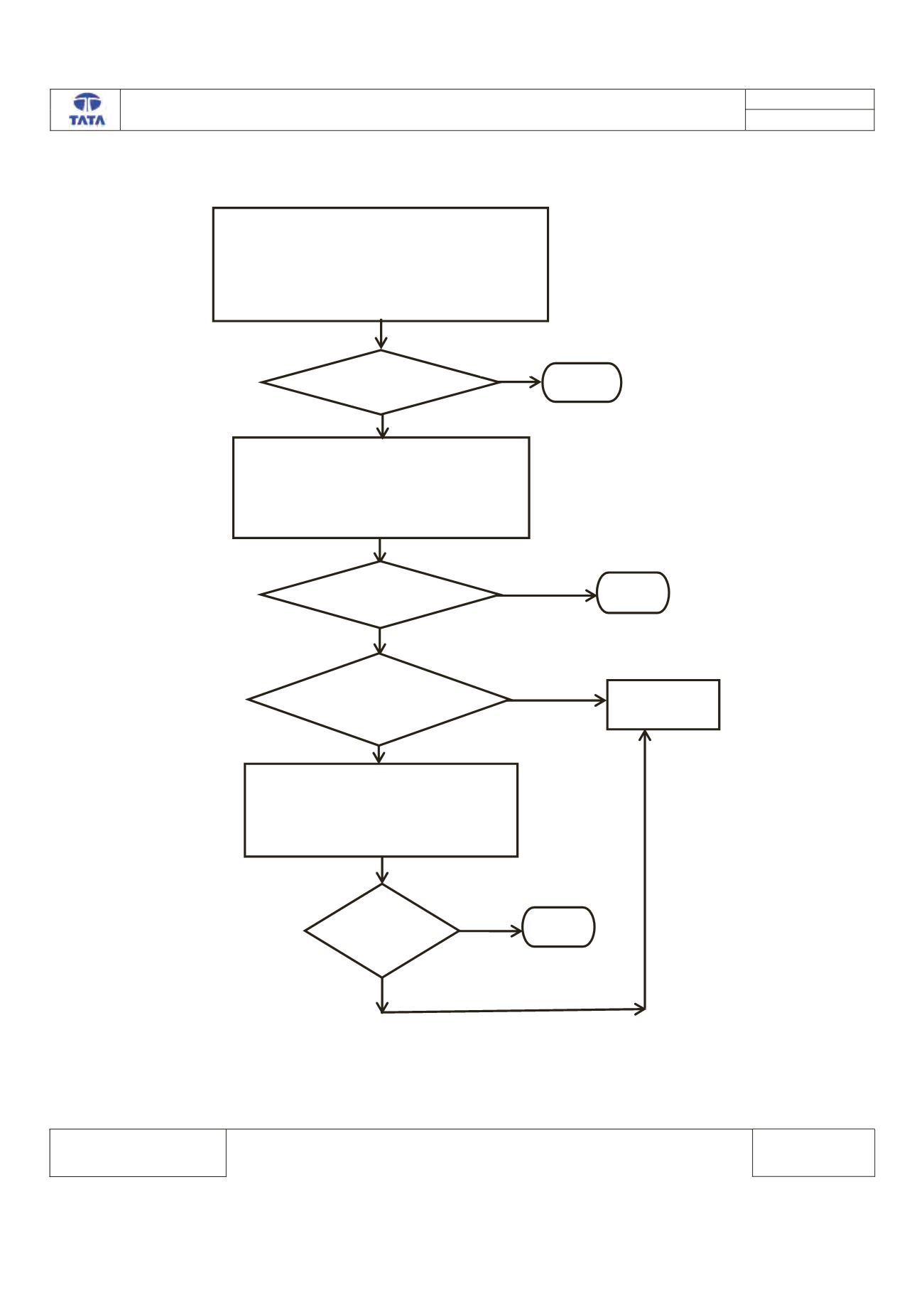
1. SELECT VALID VARIANT USING DID 6215
2. CLEAR THE DTC FROM THE MEMORY
3. TURN THE IGNITION SWITHCH OFF & ON
4. CHECK THE DTC
YES
YES
IS DTC PRESENT?
IS NEW SOFTWARE
AWAILABLE?
REPLACE THE
ECU
STOP
NO
YES
1. REFLASH THE ECU & SELECT VALID
VARIANT USING DID 6215
2. CLEAR THE DTC FROM THE MEMORY
3. TURN THE IGNITION SWITHCH OFF & ON
4. CHECK THE DTC
IS DTC
PRESENT
STOP
NO
1. CONNECT THE TML DIAGNOSTIC TOOL.
2. TURN THE IGNITION ON.
3. CHECK THE STATUS OF DTC’s (MENORIZED/CURRENT)
4. RECORD THE DTC AND CLEAR.
5. TURN IGNITION OFF & ON.
6. VERIFY IF DTC C1329-00 IS PRESENT
IS DTC PRESENT?
No
STOP